The main document on e-invoices is the Regulation on invoice forms, approved by Cabinet of Ministers Resolution No. 489 of 14 August 2020. We checked it on 2 November 2026 against the version of 15 October 2026. The exchange of ESFs between the parties is covered by a second document, the regulation attached to Cabinet Resolution No. 522 of 25 June 2019. Both regulations are published on lex.uz in Uzbek only, and the paragraph numbers below follow the original. For a disputed case, check the text yourself or with a tax adviser.
Who issues an ESF and when you can do without one
Under Article 47 of the Tax Code, legal entities, individual entrepreneurs and self-employed persons must issue an invoice when selling goods and services (part 1 as worded from 1 January 2026; lex.uz gives an unofficial translation, and paragraph 3 of Regulation No. 489 does not yet mention the self-employed). The invoice is issued in the ESF system. Paper is allowed in only two cases: operations involving state secrets (paragraph 12 of Regulation No. 489) and a failure of the ESF system (paragraph 11).
You can do without an invoice if the buyer received another document (paragraph 3):
- a receipt from an online or virtual cash register, for payment in soʻm in cash, by personal card or by a company or sole-trader corporate card;
- a strict-reporting receipt form (only while the cash register is under repair or when there is no electricity);
- an export customs declaration;
- a passenger ticket;
- a bank statement for a banking operation;
- the bank’s primary documents when paying for utilities and telecoms.
No invoice is needed for free mass distribution of goods either. If a sale went through without an ESF under these rules, the seller creates one consolidated one-sided ESF for the month by the 5th of the following month (paragraph 59). The exceptions are exports with a customs declaration and payment in cash or by card with a cash register receipt.
The buyer can claim VAT only on invoices accepted in electronic form (paragraph 10). A paper invoice instead of an ESF costs the buyer the VAT credit.
Deadlines in one table
| Situation | When to issue | Basis |
|---|---|---|
| Ordinary shipment of goods or a service | On the date of shipment or service | para. 4 of Regulation No. 489 |
| Electricity, heat, water, gas, utilities, telecoms, rail transport, freight forwarding, pipelines | One ESF per month, dated the last day of the month, by the 10th of the following month | para. 6 |
| Construction and long-term contracts without monthly handover of work | On the last day of each month, by the 10th of the following month | para. 7 |
| Buyer signs or rejects | 10 calendar days, 1 day for labelled goods | para. 63 |
| Deadline falls on a day off | Moves to the next working day | para. 64 |
| Supplementary ESF (return, discount, new price) | On the date of the event, no later than one year after the original ESF or within the warranty period | paras. 40–41 |
| Corrected ESF (error) | Within the limitation period: three years after the end of the tax period | para. 45, Art. 88 of the Tax Code |
| ESF system failure (the operator must officially confirm it) | A paper invoice, then enter it into the system within 5 days after the failure is fixed, with the paper invoice’s date | para. 11 |
| Purchase by corporate card with a receipt | Add the purchase to the invoice register by the 10th of the following month | para. 9, wording of Cabinet Resolution No. 400 of 30.06.2025 |
A seller may issue an ESF by the 10th only in the cases of paragraphs 6 and 7. The paragraph 9 deadline is for the buyer, not the seller. A building-supplies shop that ships goods on 3 November issues the ESF on 3 November.
The ESF date also affects tax. Under Article 242 of the Tax Code, the turnover date for goods is the invoice date or the shipment date, whichever is earlier: a late ESF does not move revenue into the next month. For services, the turnover date is the date the invoice or another document confirming the service is drawn up, so keep the service act and the ESF in the same month.
The regulation itself does not say what being late costs: its paragraph 68 refers to liability “under the law”. We did not find a separate Tax Code article on a fine for a late ESF, so we name no amount.
How an ESF travels and its statuses
What a roaming operator is. ESFs are sent through an operator such as Didox, Faktura.uz and others. A central hub, the roaming operator, passes documents between operators and stores them (paragraph 2 of the Regulation under Resolution No. 522). That is why the seller and the buyer can use different operators.
- The seller creates the ESF in the operator’s software, signs it with an electronic digital signature (EDS) and sends it (paragraph 14). It is signed by the director or by an employee holding a power of attorney in whose name the EDS was issued (paragraph 61 of Regulation No. 489).
- The roaming operator checks the document. The ESF is not accepted and is returned to the seller the same day if details are incomplete or wrong, the EDS is invalid, or the tax authority has temporarily suspended invoicing for a stocktake during an audit (paragraph 15).
- The buyer accepts with their EDS or rejects with a reason (paragraph 16).
- Once accepted, the ESF counts as signed by both parties and a QR code is attached (paragraph 17).
The statuses named in the Regulation under Resolution No. 522:
| Status | What it means | What to do |
|---|---|---|
| “Delivered” (“etkazilgan”) | The roaming operator accepted the ESF and passed it to the buyer | Buyer: check it and sign or reject in time |
| “Rejected” (“rad etilgan”) | The buyer refused and gave a reason | Seller: read the reason and send an ESF with correct details; the regulation does not describe how, so follow the operator’s rules |
| “Accepted” (“tasdiqlangan”) | Signed by both parties, has a QR code | The document is valid; errors are now fixed with a corrected or supplementary ESF |
Operator dashboards also show other statuses, such as draft or cancelled. Their names depend on the software.
What the system checks when an ESF is created:
- the labelling code: for goods under mandatory labelling, an ESF cannot be issued without it (paragraph 10);
- the seller’s licence: from 21 July 2026, when goods are sold under licensed activities, an ESF goes through only if the seller holds a valid licence, permit or notification (paragraph 10, wording from Cabinet Resolution No. 393 of 20.07.2026);
- the tax risk rating: from 1 January 2026 under Cabinet Resolution No. 830.
On a high-risk ESF the buyer cannot claim the VAT until that tax has been paid to the budget. Details are in our article on checking a counterparty.
One-sided ESF. If the buyer is an individual not engaged in business, the seller signs the ESF alone (paragraph 18 of the Regulation under Resolution No. 522). If the individual has no EDS, the ESF is accepted automatically. It is printed in two copies: one goes to the buyer, and the seller keeps the second, signed by the buyer to confirm receipt of the goods (paragraph 61 of Regulation No. 489).
How to check an ESF’s status and authenticity
Status. Open your operator’s dashboard, incoming and outgoing documents: each ESF shows its status. The tax portal has an interactive service, “Electronic invoices” (faktura.soliq.uz), accessed through the taxpayer’s personal account. According to the Tax Committee, when you create an ESF there you can see whether the counterparty’s VAT certificate is active and what its VAT gap ratio is. ESF data flows into reporting automatically, including the purchase register.
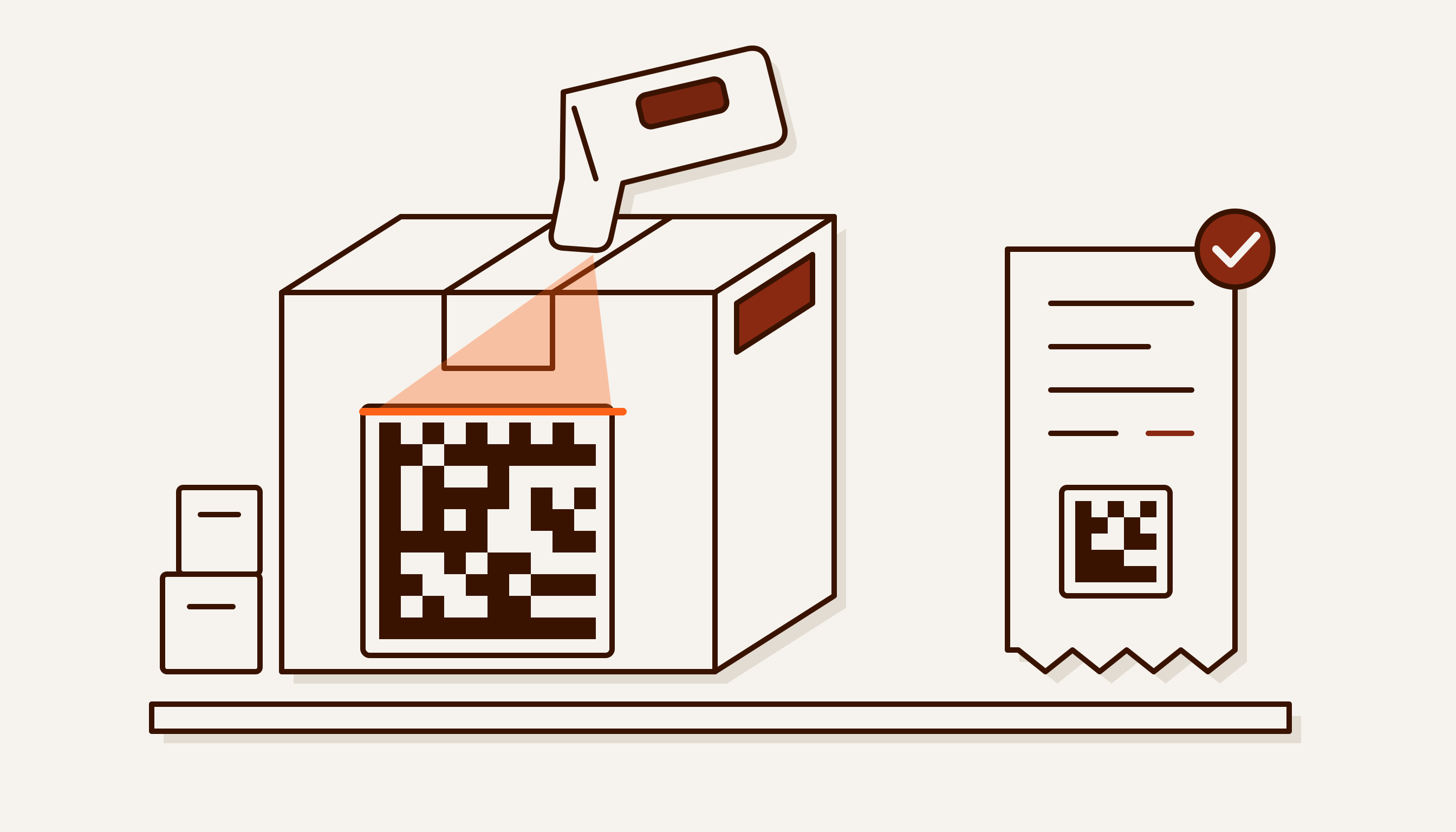
Authenticity of a paper copy. A QR code is placed only on an accepted ESF and is printed on the paper copy. Scanning it leads to all the document’s data (paragraph 2 of the Regulation under Resolution No. 522), and the roaming operator must run a website where ESF authenticity is checked by QR code (paragraph 10). Scan the code with your phone camera. Look at which website opens: the address should belong to the tax authority or to an operator from the list below. Compare the number, date, both parties’ tax IDs (INN) and the amount with the paper. No QR code means the ESF has not yet been accepted by both parties; check the status in the dashboard.
ESFs from 1C. If ESFs are issued in 1C and sent through an operator’s module, reconcile 1C with the operator’s dashboard at least once a month: a corrected ESF must reach both systems.
What to check before signing an incoming ESF:
- the buyer’s INN and name are yours, and the contract number and date match the contract;
- quantity and price match the delivery note or service act;
- VAT: 12% (Art. 258 of the Tax Code) if the seller is a VAT payer and the goods are not exempt; if the seller is not a VAT payer or the goods are exempt, the ESF should show no VAT;
- labelled goods carry labelling codes;
- the ESF date matches the shipment date (for the services in paragraph 6 and long-term contracts, the last day of the month).
Rejection, cancellation, corrected and supplementary ESFs
Three situations, three different documents:
| What happened | What to do | Who signs |
|---|---|---|
| An ESF arrived with an error, the wrong goods, or for a deal that never happened | Reject it with a reason | Buyer |
| An error in an accepted ESF: wrong INN, contract number, unit of measure, VAT rate | Cancel the old one and issue a corrected ESF with the same number and date | Seller, then buyer |
| Return of goods, refusal of services, new price or quantity, discount | Issue a supplementary ESF on the date of the event | Seller, then buyer |
How to cancel an ESF and issue a corrected one. The procedure under paragraphs 44–46 of Regulation No. 489 and Article 257 of the Tax Code:
- The seller finds the accepted ESF with the error and issues a corrected ESF for it, marked “corrected”.
- The number and date stay the same as in the original. Under paragraph 44, the earlier ESF is cancelled and replaced by the corrected one; whether this is a separate step in the software depends on the operator.
- The buyer signs the corrected ESF like any other.
- If the correction changes tax reporting already filed, amended reporting is filed for that period (paragraph 46).
- Deadline: three years after the end of the tax period (Art. 88 of the Tax Code).
Withdrawing an ESF that has not been signed yet. The regulations do not cover this case. Didox does allow deleting outgoing documents: its price list says plainly that deleted documents are also charged. Buttons and steps differ between operators, so see your operator’s instructions.
A supplementary ESF does not replace the original; it adjusts it. It states the number and date of the original, the price adjustment excluding VAT and the VAT adjustment, each with a plus or minus sign (paragraph 42). On its basis the buyer adjusts the VAT already claimed (paragraph 43).
If you do not reject in time. An ESF with someone else’s error that you did not reject within 10 days becomes accepted, which makes it your document (paragraph 63). There is one exception: an ESF for an operation that never happened is not recognised as proof of shipment, even if accepted (same paragraph).
Rejection reason templates. A short, specific reason saves a round of messages:
- “Price in line 2 is 48,000 soʻm; under contract No. 15 of 01.10.2026 it is 45,000 soʻm”.
- “Quantity 120 pcs; 100 pcs received under the delivery note”.
- “Goods not received, no delivery note”.
- “Wrong buyer INN”.
- “Seller is not a VAT payer, but VAT is shown on the invoice”.
The last template covers the case in Article 225 of the Tax Code. If a non-VAT payer shows VAT on an invoice, or VAT is shown on exempt goods, the supplier is fined 20% of that amount. The supplier must still pay that VAT to the budget.
ESF operators: how to choose and what sending costs
ESFs can be sent only through an operator, and you are free to choose one (paragraph 11 of the Regulation under Resolution No. 522). Thanks to roaming, your counterparty can use a different operator. The list on the Tax Committee page as of 02.11.2026 has 29 operators:
| Operator | Website |
|---|---|
| Didox Tech | didox.uz |
| Space Online Genesis | faktura.uz |
| Soliq-Servis | soliqservis.uz |
| New Invoice Service | e-invoice.uz |
| Fides Solutions | edocs.uz |
| Realsoft | hujjat.uz |
| Axborot-texnologiyalari markazi | invoice.uzasbo.uz |
| Center for Digital Technology and Innovation | x-file.uz |
| Bepro Norma | docs.1uz.uz |
| Uzex Innovation | exdoc.uz |
| Uzpaynet | agent.paynet.uz |
| Dataprizma | netdoc.uz |
| The Mind | 24m.uz |
| Intellekt-Servis | mexm.uz |
| B2B Space | web.abv.uz |
| Suvan Net | my.contracts.uz |
| Lavina Tech | l-factura.uz |
| Micros Development | multibank.uz |
| Plum Technologies | edo.uzcardtrade.uz |
| Lanbir Servis | onlinefactura.uz |
| Art of Business Assistance | app.hippo.uz |
| TeslaPro | kiber.uz |
| Raqamli Biznes Agregator | my.dgb.uz |
| Anorbank | anorbank.uz |
| Yagona markirovkalash va identifikatsiyalash markazi | edo.era.uz |
| Yagona Integrator Uzinfocom | udocs.uz |
| Webase | webimzo.uz |
| Flott | flott.uz |
| Agrosanoatni raqamlashtirish markazi | docs.agro.uz |
When choosing, compare three things: the price per document at your volume, whether there is a ready connection to your accounting software, and how the operator’s support responds. You find out the last one with a test call before signing up.
As an example, take the Didox price list as of 02.11.2026. The sender pays for each outgoing document, and the price depends on how many are sent in the month:
| Outgoing documents per month | Price per document |
|---|---|
| up to 10 | 0 soʻm |
| 11–100 | 800 soʻm |
| 101–1,000 | 500 soʻm |
| 1,001–10,000 | 400 soʻm |
| over 10,000 | 350 soʻm |
The tier is set by the month’s total and applies to every document in that month. So 11 ESFs a month cost 8,800 soʻm: at 11 documents or more there is no free allowance. 60 outgoing documents cost 48,000 soʻm, 150 cost 75,000 soʻm. All outgoing documents are charged, including deleted and rejected ones: an ESF rejected for an error and reissued is paid for twice. We looked only at Didox’s prices; other operators publish theirs on their websites.
A one-page routine for the accounts team
To stop ESFs being accepted by default, five rules are enough:
- Incoming ESFs every working day. The person responsible opens the operator’s dashboard in the morning and handles labelled goods the same day.
- Match against primary documents before signing. The five points from the list above. Any mismatch means rejection with a reason from the templates.
- Outgoing on the day of shipment. The warehouse or sales manager reports the shipment the same day and the accountant issues the ESF. For utilities and long-term contracts, a reminder on the 1st.
- Rejected outgoing ESFs are dealt with within the day. Reason, fix, resend.
- Once a month before the VAT return, reconcile the register: are all incoming ESFs accepted, what is their risk rating, are there any accepted by default.
We wrote about connecting accounting software to Telegram notifications in the article on 1C and a Telegram bot. Which accounting reports can be assembled automatically is covered in the article on report automation.
Quick answers
Can an ESF be issued after the shipment date? Under paragraph 4 of the Regulation, the ESF is issued on the shipment date; the only exceptions with a deadline of the 10th are in paragraphs 6 and 7. Being late does not move revenue from goods into the next month (Art. 242 of the Tax Code).
Can an accepted ESF be cancelled? Yes, through a corrected ESF with the same number and date, within three years after the end of the tax period.
How do I check an ESF for authenticity? Scan the QR code on the paper copy and compare the data. Only an accepted ESF has a QR code.
What is a one-sided ESF? An ESF signed only by the seller: for sales to an individual not engaged in business.
Can a sent ESF be withdrawn? The regulations are silent on this. Didox lets you delete outgoing documents, but deleted ones are still charged.
Where we stand, honestly
We are not an ESF operator, we do not issue invoices on clients’ behalf and we do not give tax advice. Bookkeeping entries, digital signatures and reporting stay with your accountants. For accounting firms we build a robot in Telegram. It takes client requests such as “please issue an invoice”, asks for the counterparty, INN and amount, and hands the accountant a complete request. One process end to end is the “Pipeline” package: from $1,200 plus $300 a month, in 2 weeks.
We have no client case studies with numbers yet. If ESF deadlines or collecting primary documents depend on one person’s memory in your company, describe the process in the quiz on the home page: the first review is free, with an answer within 48 hours.