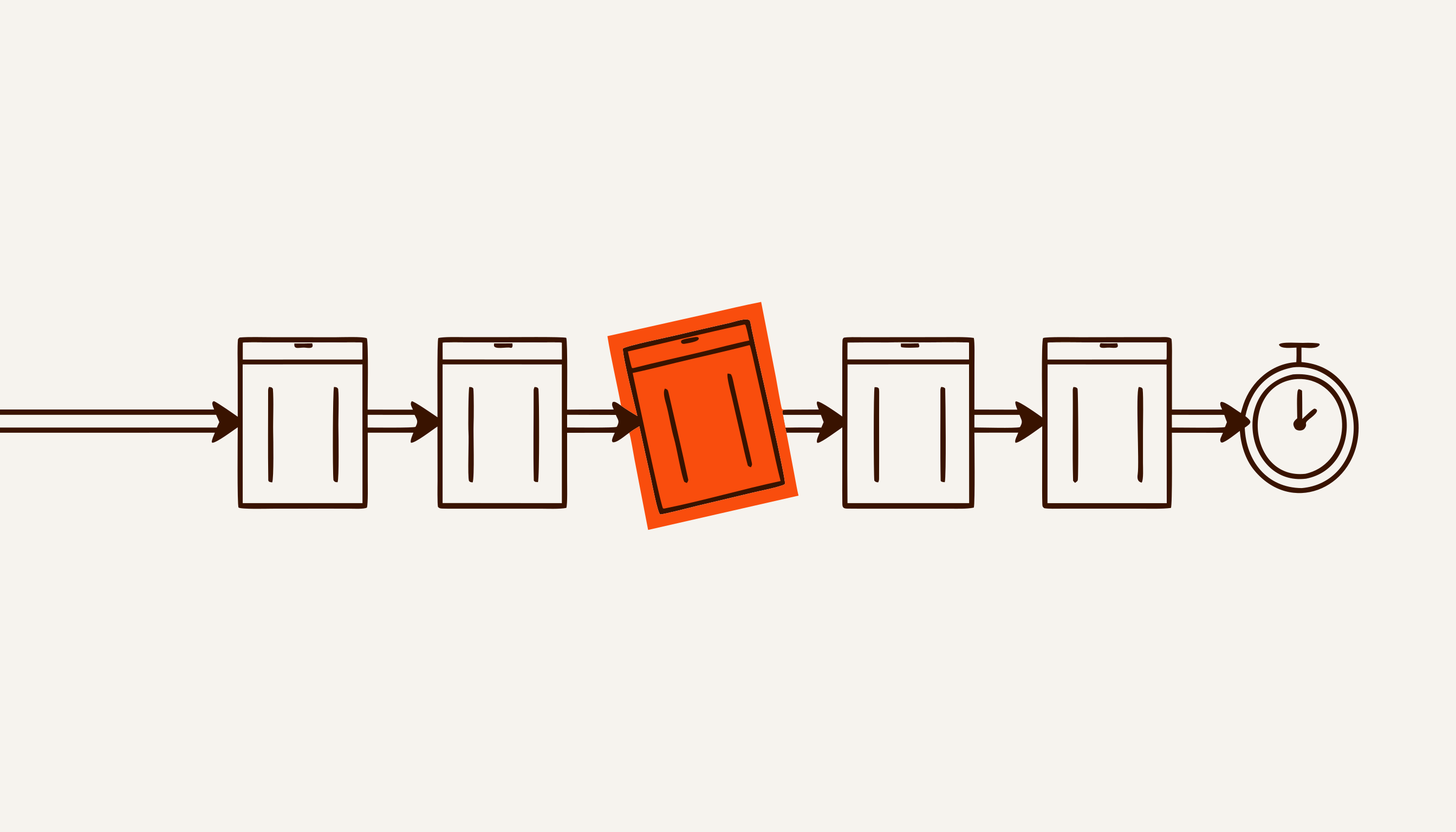

When owners decide how to automate their business, they usually start by choosing software: a CRM, a bot, “something with AI”. In the plan below, software only appears at step four of seven.
Our Business automation with AI page explains what business automation is, what it covers and which systems exist. This article covers only the order of work: from a list of processes to a finished system, one process at a time.
How to automate your business: the plan in 7 steps
Automating a business works best one process at a time. Business process automation, step by step, looks like this:
- List your processes and count how many hours a month each one takes.
- Pick one process: frequent, time-consuming and expensive when it goes wrong.
- Write down the baseline metric in one sentence and measure it for a week.
- Decide how to cover the process: an off-the-shelf service, configuration or custom development.
- Give AI only what rules cannot handle: free-form text, voice, the customer’s language.
- Run a pilot: two weeks on live data, judged against the baseline metric.
- Take over the code, access and documentation, and decide who will support the system.
The short answer to where business automation should start: steps 1–3. They take an evening on paper, need no contractor or budget, and decide whether everything after them pays off.
What to automate in a business
You can automate any work that repeats, follows clear rules and relies on data that already exists in digital form. In small and mid-sized companies that means seven kinds of work, whatever the industry: a shop, a clinic, an accounting firm and a factory have much the same list.
| Process | How it is automated | When it pays off |
|---|---|---|
| Enquiries and replies to customers | A bot or AI assistant replies at once, asks clarifying questions and hands the manager a ready lead card | Enquiries arrive in the evening and at weekends, and the first reply currently takes hours |
| Moving data between systems | A workflow moves data on each event: messenger → spreadsheet → CRM → 1C | The same data is typed by hand into two or three places every day |
| Reports | A workflow pulls numbers from the sources and sends the report on schedule | Someone assembles the same report by hand every week |
| Documents and invoices | A template fills itself from the CRM or spreadsheet; a model reads incoming PDFs and photos and extracts the details | Dozens of documents a week, and a wrong detail means redoing the work |
| Reminders and deadlines | Date-based rules: remind the customer or the employee, and the manager if a deadline slips | A missed deadline costs money: a late payment, an overdue filing, an empty slot |
| Bookings and scheduling | A bot shows free slots, books, reminds and lets people reschedule with one button | Bookings go through chats and calls, and no-shows are visible in the calendar |
| Content and product cards | A model writes descriptions and ad variants in batches from a template; a person reviews them | There are hundreds of cards, and the marketplace has formatting rules for them |
What does not get automated is decisions with consequences — a discount beyond the price list, turning a customer down, hiring: automation can gather the data for them, but a person decides.
Step 1. List your processes and count the hours
Business automation starts with a list of processes and the hours they eat, not with choosing software. A process here is a path from an event to a result: “enquiry → meeting”, “order → payment”, “client document → filed report”.
For each process, write down who takes part, where the data sits before and after, how many times a week it runs and how many minutes one pass takes. Multiply frequency, minutes and the number of people, and convert the result into hours per month.
A made-up example. A manager copies 30 enquiries a day from Telegram into a spreadsheet, 3 minutes each. That is 90 minutes a day, or about 30 hours a month over 20 working days. With that number, the conversation about automation becomes concrete: not “it’s inconvenient” but “30 hours”.
If it turns out the data lives only in someone’s head or in a paper notebook, there is nothing to automate yet. First it has to start being recorded — that is a step too, and it needs no AI.
Step 2. Pick one process
Automate one process first: the one where “frequency × time × cost of error” is largest and the data already exists in digital form.
The cost of error changes the order: a process that takes five hours a month can matter more than one that takes thirty. A lost enquiry costs a deal. A wrong amount on an invoice costs a refund and an awkward conversation. A typo in an internal report costs almost nothing if someone catches it.
One process rather than five: launch everything at once, and afterwards nobody can say what worked.
Do not start in three cases: the process runs less than once a week, it is about to change, or a ready-made service covers it in two days — then you need the service, not a project. The selection method, with a step-by-step breakdown of a process, is in What to automate first.
Step 3. Write down the baseline metric
The baseline metric is one sentence written down before work starts: what you count, in what units, what the number is today and what number counts as success.
Example wording, with made-up numbers:
- “Time to the first substantive reply to an enquiry, weekly median: 40 minutes today, target 5.”
- “Manual assembly of the weekly report: 3 hours today, target zero, with the report arriving by 9:00 on Monday.”
- “Share of booking no-shows per month: 18% today, target 13%.”
Measure today’s value for a week, the same way you will measure it after launch: from a CRM export, a spreadsheet or the chat history. Put a quality measure next to the speed measure — for example, the share of replies the manager had to rewrite. Otherwise a fast but poor result will look like success. Why a single metric is easy to game is covered in “What gets measured gets managed”.
A written metric is also the basis of the contract. With us, a pilot stage that misses its metric is not paid for.
Step 4. Off-the-shelf service, configuration or custom build
Choose the simplest option that covers the whole process: an off-the-shelf service first, then configuring what you already have, then connecting systems, and only then custom development.
| Option | When it fits | Timeline | Risk |
|---|---|---|---|
| Off-the-shelf service (SaaS) | The process is standard and lives in one system: online booking, mailings, a bot builder | A day to a week | The process is bent to fit the service, the data sits with the vendor, the subscription grows with the team |
| Configuring a CRM or builder tools | amoCRM or Bitrix24 is already paid for; you need pipelines, automations and templates inside it | 1–4 weeks | One person knows the setup; when they leave, nobody understands how it works |
| A workflow on n8n | The process runs through several systems: messenger, spreadsheet, CRM, 1C | 2–4 weeks | The server and workflows need looking after; when a source changes, the workflow breaks |
| Custom development | Nothing ready-made exists, the logic or data is your edge, you need your own model | 8 weeks and up | Expensive up front; without the code and access handed over, you depend on the contractor |
The first three rows are usually enough. Custom development is justified when no ready-made solution exists — for example, when you need a model built on your own data.
If you are choosing between n8n, Make and Zapier, compare the number of runs and steps in your workflow rather than the plan price: the platforms bill for different units. The worked example is in n8n vs Make vs Zapier; CRM configuration is covered on the amoCRM and Bitrix24 implementation page.
Step 5. Where you need AI and where rules are enough
You need AI where the input is free-form text, voice or several languages; where everything is unambiguous — dates, amounts, statuses, routing — rules are enough, and they are more reliable.
A rule is “if…, then…”: an invoice unpaid by the due date — remind the customer; an order is ready — tell them. Code runs rules like these the same way a thousand times in a row, and a model would only add a chance of error.
You need a model when the input cannot be described by rules in advance:
- a customer writes in free form, “need a two-room flat up to $60k, a mortgage is fine”, and the model breaks it into the fields of a lead card;
- a voice message arrives and has to be transcribed;
- people write in Russian and Uzbek, in Latin and Cyrillic script, and the reply has to be in the customer’s language;
- a photo of a receipt, contract or delivery note arrives, and the details have to be pulled out of it;
- requests have to be sorted by topic, and the customer never names the topic.
Even here, the model does not do the maths: it pulls the data out of the message — dimensions, quantities, an address — and code prices it at your rates. Which model is better — ChatGPT, Claude or Gemini — is decided by a test on your own examples, not by a leaderboard. The model is chosen to fit the task, and the keys should be yours. Where a model pays off and how to choose one is covered on the AI implementation page.
Step 6. Pilot: two weeks live
A pilot is one process running for two weeks on real customers and real data, checked daily and judged at the end against the baseline metric.
In two weeks the system goes through both busy Mondays and quiet Sundays. There is no point in dragging it out: if something is wrong, every extra week makes the mistake more expensive.
What to check every day:
- the metric, measured the same way as the baseline;
- quality next to speed: how many replies had to be rewritten, how many customers wrote again about the same thing;
- hand-offs to people: how many, why, and how many minutes it took a person to pick up;
- failures: what did not arrive, what went to the wrong place, what fired twice;
- nights and weekends separately — that is usually where losses pile up.
Translate the result into money: hours saved × the employee’s hourly cost, plus enquiries saved × conversion × margin per deal, minus subscriptions, model usage and support. There are three possible decisions: extend to the next process, fix and repeat, or stop. Stopping after two weeks is cheaper than stopping after six months.
Step 7. Handover, documentation and support
Automation is finished when the code, access and documentation are with you, and it is clear who fixes the system and for what money.
What you should hold after the project:
- accounts, the server and AI model keys, registered to your company;
- the code, or an export of the n8n workflows;
- a process diagram: where data comes from, where it goes, who gets notifications;
- a list of integrations and what breaks if a source changes;
- instructions for the team and for whoever runs the system.
The test is simple: ask for all access to be handed over in week two, not at the end of the project. Whoever stalls on the handover is building dependence. The other questions to ask a contractor are in Business automation companies: how to choose one.
Support is almost always needed, because sources change: the CRM updates its API, the website form gets a new field, the price list moves to another spreadsheet — and the workflow stops working. Decide in advance who fixes it — the contractor on a subscription or your own employee working from the documentation — and what the monthly fee covers.
Business process automation examples
Typical business process automation examples: replying to night-time enquiries at a car dealership, bookings and reminders at a clinic, taking client requests at an accounting firm, order stages and debts at a manufacturer, answering buyers for a property developer, orders in a Telegram shop. These are not client case studies but the set-ups a breakdown usually starts from: the company has been operating since August 2026 and has no client results with numbers yet.
Car dealership: night-time enquiries and test drives
Enquiries from the website, Instagram and Telegram get a reply straight away, including at night. The system asks questions from the dealership’s script — model, budget, credit, trade-in — and books a test drive, with reminders the evening before and two hours ahead. If a manager has not replied within 10 minutes, they get a nudge; after 30 minutes, the head of sales does. The OEM CRM remains the main system. The pilot metric is the share of enquiries that get a substantive reply within 15 minutes. More on the car dealerships page.
Clinic: bookings and reminders
The bot answers questions about prices, location and preparation strictly from the clinic’s own text and books appointments, which the receptionist confirms with one button. A reminder with “reschedule” and “cancel” buttons arrives the day before and on the day of the visit. The bot does not discuss complaints, symptoms or test results; it passes them to a person. In a 2016 meta-analysis of 21 studies, 15% of patients who received electronic reminders missed their appointment, against 21% of those who did not; more in Reminders vs no-shows. The clinic set-up is on its own page.
Accounting firm: client requests and deadlines
A Telegram bot takes requests from the firm’s clients — an invoice, a reconciliation statement, a bank certificate — and checks the counterparty, TIN and amount before passing the request to the assigned accountant. The reporting calendar is set up at launch: the bot asks for documents in advance and chases those who go quiet. Each morning the director sees what is overdue and with whom. The bot gives no tax advice; 1C and the bookkeeping entries stay with the accountants. More on the accounting firms page.
Manufacturing: order stages and debts
Orders from Telegram and phone calls land in one place. The task for each stage goes to a role — measurer, process engineer, foreman; if nobody takes it in time, a reminder follows, then a message to the director. The customer learns the status without calling, and prepayments and post-delivery debts are visible at once. Our CorpVisor runs a similar set-up: it watches the process of a manufacturing company in Samarkand — tasks by role, reminders, client replies, prepayments and post-delivery debts, a morning summary for the director. More on the manufacturing page.
Property developer: night-time buyers and viewings
A buyer writes to the sales team’s Telegram on a Saturday evening and gets a real answer at once: available flats and prices from the developer’s availability chart, the completion date, instalment terms. The bot agrees a viewing time, a manager confirms it with a button, and a hot buyer goes to the manager as a card. Discounts, mortgage calculations and the contract stay with people. More on the housing developers page.
Telegram shop: replies and orders
Customers ask about stock, sizes, prices and delivery; the bot answers from the catalogue, and an order from the chat lands in the spreadsheet with no manual copying. Returns, complaints and discount requests go to the owner. The closest of our systems is the Valli bot: it handles customer conversations in Telegram and hands anything non-routine to a human — it is currently in pilot. More on the chatbots page.
How to automate a small business with a team of 3–10
A small business usually needs no more than an off-the-shelf service and one link between the messenger and a spreadsheet or CRM; custom development rarely pays off at this scale.
Small business automation is limited less by technology than by the owner’s time: the owner sells, buys stock and answers customers. So three things tend to pay off first:
- replying to customers in the evening and at weekends, if enquiries come through Telegram or Instagram;
- moving orders from chats into a spreadsheet so nothing gets lost;
- reminders about bookings, payments and repeat purchases.
Where not to spend money:
- a custom CRM “built for us” — a ready-made one with a configured pipeline is almost always cheaper;
- a dashboard nobody opens: a team of five is better served by a summary in Telegram;
- an AI bot without a knowledge base — it will answer confidently and wrongly;
- plans and licences bought “for future growth”.
A setup that works for a team of five: a Google Sheet or a CRM, a Telegram bot and one workflow on n8n or a ready-made builder. If a ready-made service solves the problem in two days, there is no reason to pay a developer — and an honest developer will tell you so.
How to automate your business with AI: three rules
AI in automation pays off under three conditions: every task has a metric, everything non-routine goes to a person, and the data stays inside your own perimeter.
A metric. Not “implement AI” but, say, “sort incoming requests into five topics so that the manager corrects no more than one label in twenty”. A model with no metric can neither be accepted nor switched off for a reason.
A person in the loop for the non-routine. The hand-off triggers are written down in advance: the customer asks for a person, money outside the price list comes up, a complaint, a file the system cannot read. Anything irreversible — a discount, a refund, a mailing to the whole base — is confirmed by a person. In Uzbekistan this is also the law: in legally significant decisions affecting human rights and freedoms, “it is not permitted to rely solely on the conclusions” of AI-based systems. That is Article 7¹ of the Law “On Informatization”, added by Law ZRU-1115. How an AI agent differs from a bot and a workflow, and where agents carry risk, is covered on the AI agents for business page.
Data inside your perimeter. The server, n8n and model keys are yours. Which fields go to the model is written into the specification, and sensitive ones can be left out entirely. ZRU-1115 introduced a fine of 50–100 base calculation units for unlawful processing of personal data using AI — 22–44 million soum since 1 September 2026. When customer chats may go to an external model is covered in Customer chats in ChatGPT and Claude. This is not legal advice: check how the rules apply to your customer base with a lawyer.
How much it costs to automate a business
The cost has two parts — launch and monthly support — and depends on what you chose at step 4.
- Off-the-shelf services: a subscription on the vendor’s price list, which you can see before you buy. For reference, as of 27 September 2026 cloud n8n starts at €20 a month billed annually, for 2,500 workflow executions a month.
- Bots and workflows from a contractor. According to public price lists of companies in Tashkent and Samarkand, as of September 2026 a customer-facing bot costs roughly $1,000 and up to launch plus $400–600 and up per month; a workflow across several processes starts at several thousand dollars.
- Our packages. Pipeline — from $1,200 plus $300 a month: one process end to end, up to three integrations, 2 weeks. Shop floor — from $6,500 plus $700 a month: three or four connected processes, 4 weeks. Custom — from $18,000 plus $1,200 a month: a pilot of your own product or model on your data, 8 weeks and up, with production quoted separately. A breakdown of one process is free.
Where a project lands within a range depends on the number of integrations and data sources. Count separately what you pay beyond the contractor: CRM licences, model usage on your key, the server. How the price is built and what the packages include is on the Business automation with AI page. In Uzbekistan you can pay in soum at the Central Bank rate on the invoice date.
On 18 August 2026 the President of Uzbekistan announced that enterprises would be reimbursed half of their spending on AI implementation. As of late September the payment procedure has not been published; what is known and which documents to keep now is in 50% of AI costs reimbursed.
Mistakes that stop automation from paying off
Automation most often fails to pay off for one of six reasons, and nearly all of them are built in before the first line of code.
- The process was automated along with its unnecessary steps. In 1990 Michael Hammer wrote in Harvard Business Review that outdated processes should not be automated but obliterated and started over. Bill Gates’s rule is shorter: automation applied to an inefficient operation will magnify the inefficiency. Five questions for every step are in “Don’t Automate, Obliterate”.
- No metric was written down before the start. Then a feeling that “it got more convenient” replaces the result. Even the line “95% of AI pilots fail” was stitched together by the media from a preliminary MIT NANDA report in which success meant whatever respondents called success — see the 95% of AI pilots breakdown.
- Nobody designed the hand-off to a person. Automation takes the easy cases and leaves people the hard ones, with less and less practice at them. Lisanne Bainbridge described this mechanism in 1983; how it looks with a first-line bot is in Ironies of Automation.
- Only saved headcount was counted. In 2024 Klarna said its AI assistant did work equivalent to 700 full-time agents. In 2025 its CEO admitted that cost seemed to have weighed too heavily in the evaluation, and quality ended up lower. The full story is in Klarna’s “700 agents”.
- Everything started at once. A CRM, a bot and a dashboard in one month: the team learns three systems at the same time, and afterwards nobody can tell which of them paid off.
- The system was left without an owner. The contractor left, the access stayed with them, there is no documentation, and the first broken source stops the process.
Checklist before you start
Before you pay for automation, check ten things:
- processes are listed and their monthly hours counted;
- one process is chosen, and it is clear why it goes first;
- unnecessary steps are struck out before automation, not after;
- the baseline metric is written in one sentence and measured over a week;
- a quality metric sits next to the speed metric;
- the simplest option that covers the process is chosen, and it is clear why nothing simpler will do;
- it is decided what AI does, what rules do and what goes to a person;
- it is known which data goes to the model and where the chats are stored;
- the launch price, the monthly fee and what it covers are named;
- the code, access and documentation are registered to you — checked in week two.
If you would rather not go through the first three steps alone, describe one process in the quiz on the home page. Within 48 hours we will send you a map: what to take off people first, in what order and what it costs. The breakdown is free, no call is needed, and the process is reviewed by the company’s founder, Amir Negmatullaev.